Summary
We used the EZducate Visual Schedule to turn a busy, no-travel summer (while moving!) into calm, predictable days. I started with a rewards-first approach—my daughter helped design a custom Rewards Store, each reward priced in tokens earned for completing tasks—so she was eager to finish. The schedule is highly customizable: we mixed built-in activities with our own photo cards, used drag-and-drop onto calendar dates, and kept steps short with movement breaks. On hectic days, I typed a quick note and let AI Routine Suggestions auto-generate a full plan (I could Regenerate anytime), adding only wake/bed times if I wanted. The calendar colors (Today/Complete/Incomplete/Partial/No Tasks/Future) made progress obvious. It also paired well with our Behavior Intervention goals (repetitions/obsessions), and made back-to-school smoother and less stressful.
This summer wasn’t picture-perfect—we were moving, didn’t travel, and I kept asking myself, “How do I keep structure, keep her happy, and make back-to-school calm?”
My answer: the EZducate Visual Schedule. 🙌
It wasn’t perfect on day one. I tried, tweaked, tossed, and tried again. Week by week it became ours—matched to my daughter’s energy, interests, and needs. By August it saved me from the “what now?” spiral, and school felt more like a gentle on-ramp than a cliff. 🧘♀️📚
🎁 The “Reward-First” Strategy (What Finally Clicked)
I tested a few approaches, but starting with rewards changed everything.
-
We built the Rewards Store together. 🛍️
Not just the list—her ideas too: “choose dinner,” “extra game time,” “new hair clip,” “mom-daughter nails.” You can add as many rewards as you want, each with its own token cost. -
We set token goals that felt doable. 🎯
Parents choose the token price for each reward. I started low for quick wins, then nudged up slowly. -
Tokens right after the task. 🪙
Immediate feedback turned “ugh, chore” into “one step closer to my goal.” It’s not bribery; it’s motivation you can see—and a mini lesson in planning.
Result: she started the day pulling instead of me pushing. So much calmer. 💛
🧩 One Size Doesn’t Fit All (Customize Like Crazy)
The schedule is highly customizable and adapts to every kid.
-
Built-ins + your own cards.
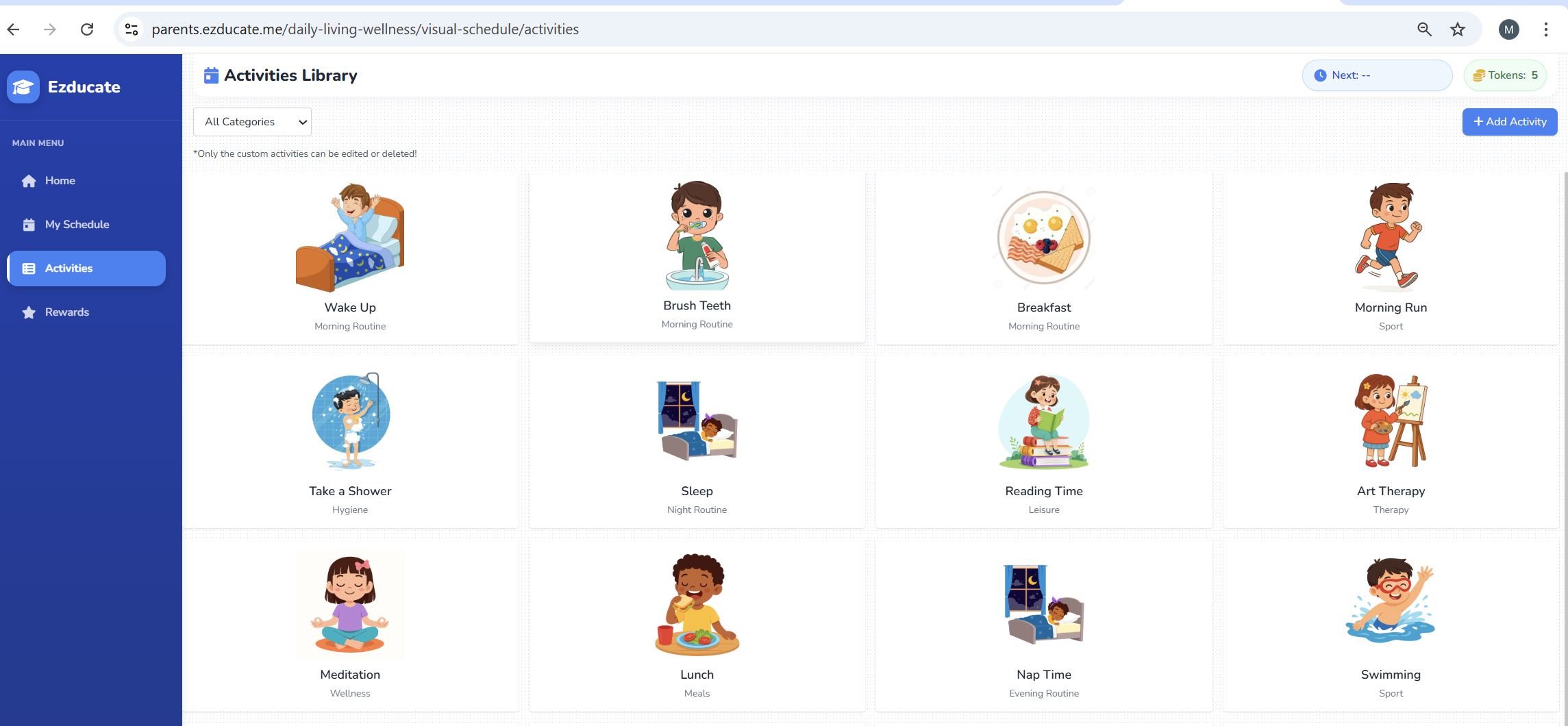
We mixed defaults (Wake Up, Brush Teeth, Breakfast) with custom cards using our photos (packing boxes, call grandma, quiet reading nook). Real pictures = instant recognition. 📸 -
Drag & drop onto the calendar.
Five minutes? No problem. I just dragged an activity onto the date. Done. 🖱️➡️📅 -
Short blocks win.
10–30 minute steps with tiny “reset” breaks kept her regulated. ⏱️ -
Movement every day.
Hallway yoga, courtyard laps, two-song dance party. 🧘♂️🏃♀️💃 -
Match energy, not just time.
Calm mornings, “stretch” tasks late morning (reading/math), “choice” tasks after lunch, soft landings at night. 🌅🧠🎶
🤖 On Busy Days: AI to the Rescue
Some days I was too busy to drag-and-drop or write the whole plan. That’s when AI Routine Suggestions saved me.
-
I typed a quick note like: “Weekday routine for a 12-year-old, include reading + movement.”
-
Optional: add just wake-up and bedtime.
-
The app generated a full, sequenced routine while I did my chores. 🧹
-
Didn’t love it? I tapped Regenerate for a fresh version and made tiny edits.
It felt like having a friendly co-planner with a “make it easier” button. 🫶
📦 A “Moving Day” That Still Felt Like Summer
-
Wake Up → Breakfast → Brush Teeth
-
Help Pack One Box (tiny assignment) → 🪙
-
Snack + Quiet Reading → 🪙
-
Movement Break (dance video) → 🪙
-
Chore Choice: tidy desk or water plants → 🪙
-
Lunch + Free Choice (15 min) → 🪙
-
Call Grandma (share one win) → 🪙
-
Reward Time if goal reached (her fave: “choose dinner”) 🍽️
Nothing fancy—just a plan we could see. She had agency, I had peace. ✅
🎒 Back-to-School Without the Whiplash
When school neared, we shifted the plan:
“pack a box” → pack backpack 🎒
“call grandma” → check school folder 🗂️
We kept the same visual language and used the calendar colors (🔵 Today / 🟢 Complete / 🔴 Incomplete / 🟠 Partial / ⚪ No Tasks / ⚫ Future). Progress was obvious—zero nagging. 🙏
🧠 Repetitions & Obsessions: Structured, Not Suppressed
We used the schedule alongside our Behavior Intervention plan:
-
Predictable slots for special interests, so she knew they were coming.
-
Boundaries wrapped in choice (first/then, two good options).
-
Short practice blocks to build transition tolerance.
-
Immediate reinforcement (token + quick praise) when she used a replacement skill (ask for a minute, take a breath, pause to switch).
We didn’t remove her interests—we organized them so the day still had meals, hygiene, movement, and connection. 🌈
🔑 If You’re Starting Today
-
Begin with rewards. Build the store together. Small token costs = fast wins. 🎁
-
Plan the next 3–5 steps only. Not a whole day. Stay nimble. 🧭
-
Use photos. Kitchen sink, reading chair, backpack hook—make it real. 📷
-
Celebrate partials. Mark Partial and give a mini token. Effort counts. 🟠
-
Expect edits. Monday ≠ Thursday. Save → Drag → Swap → Repeat. 🔁
-
Short on time? Use AI Suggestions, add wake/bed if you want, let it generate while you handle life, and Regenerate if needed. 🤖
💬 Why I Recommend It
-
My decision fatigue dropped.
-
Her ownership rose.
-
We kept structure without losing joy.
-
Back-to-school was calmer than ever. 🧘♀️🎒
We didn’t travel. We were knee-deep in cardboard and change. And still, this was our best summer—because the Visual Schedule carried the day, so I didn’t have to. 💚
⚙️ Quick “How To” (New Users)
-
Open Visual Schedule → Add Activity (or drag from the library).
-
Create custom cards with your own photo (or emoji).
-
Drag & drop cards onto calendar dates.
-
Set token values for tasks → add rewards (as many as you want).
-
Export to PDF for the fridge / home–school folder.
-
In a rush? Use AI Routine Suggestions → generate while you do chores → Regenerate for another version.
-
Tweak daily. Keep what works, change what doesn’t. 💫