

Part 4 of the Snow Day Survival Series
In Parts 1-3, we built a behavior plan, a visual schedule, and two social stories. The visual schedule had two flashcard activities: “Flash Cards Round 1 — jump and shout” and “Flash Cards Round 2 — beat the timer.”
Time to build the cards.
And because it’s a snow day and we’re stuck inside — why not make them about dragons?
The Tool: Learning Card Creator
When you open Flash Cards, you land on the Autism Learning Card Creator. It walks you through 10 steps. Takes about 2-3 minutes.
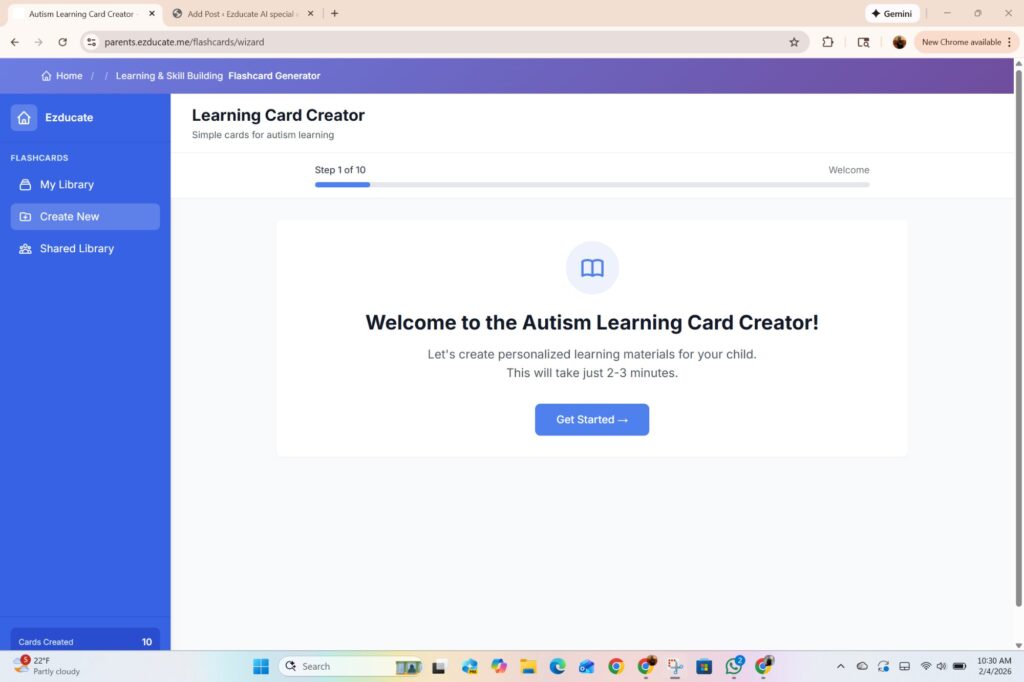
Step 1: Media Type
What kind of learning material do you want?

Two options: Picture Cards for visual learning, and Video Cards for dynamic learning (coming soon). I went with Picture Cards.
Step 2: Topic
What should the cards teach?
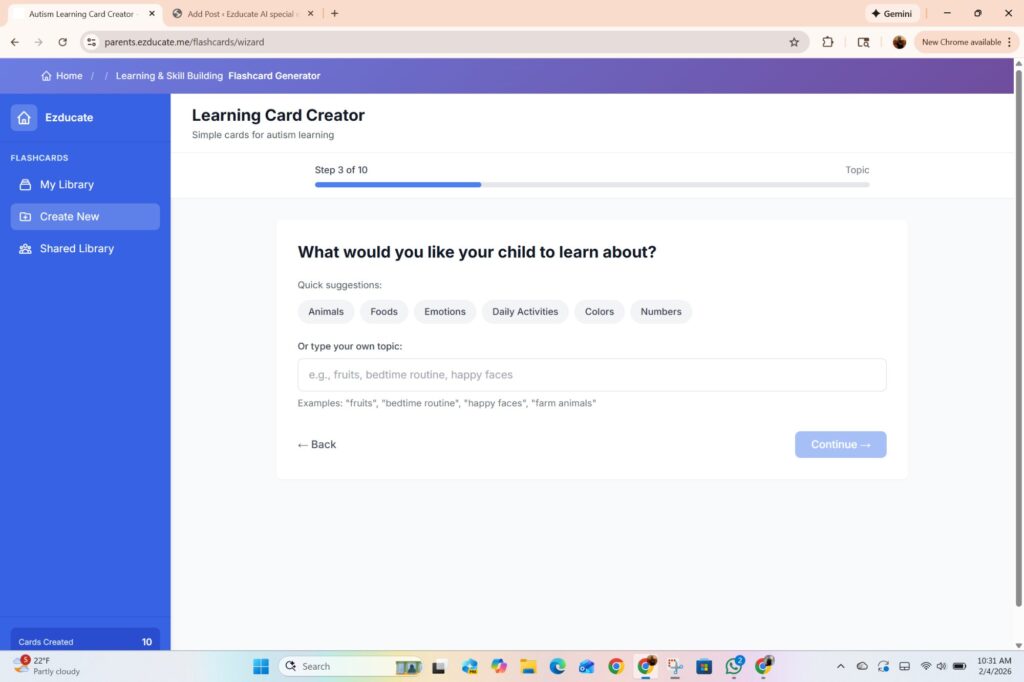
Quick suggestions: Animals, Foods, Emotions, Daily Activities, Colors, Numbers. Or type your own topic.
I typed: Dragon Actions. Because we’re having a dragon day.
Step 3: Visual Style
Which style works best for your child?
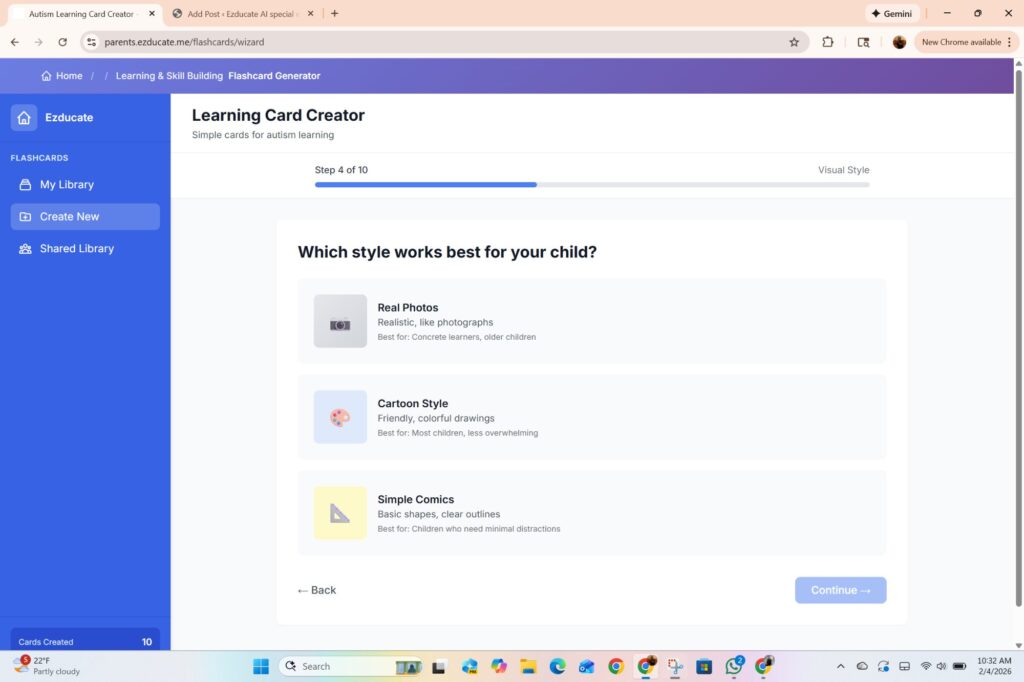
Three options:
- Real Photos — realistic, best for concrete learners and older children
- Cartoon Style — friendly, colorful, best for most children
- Simple Comics — basic shapes, best for children who need minimal distractions

Step 4: Quantity
How many cards?
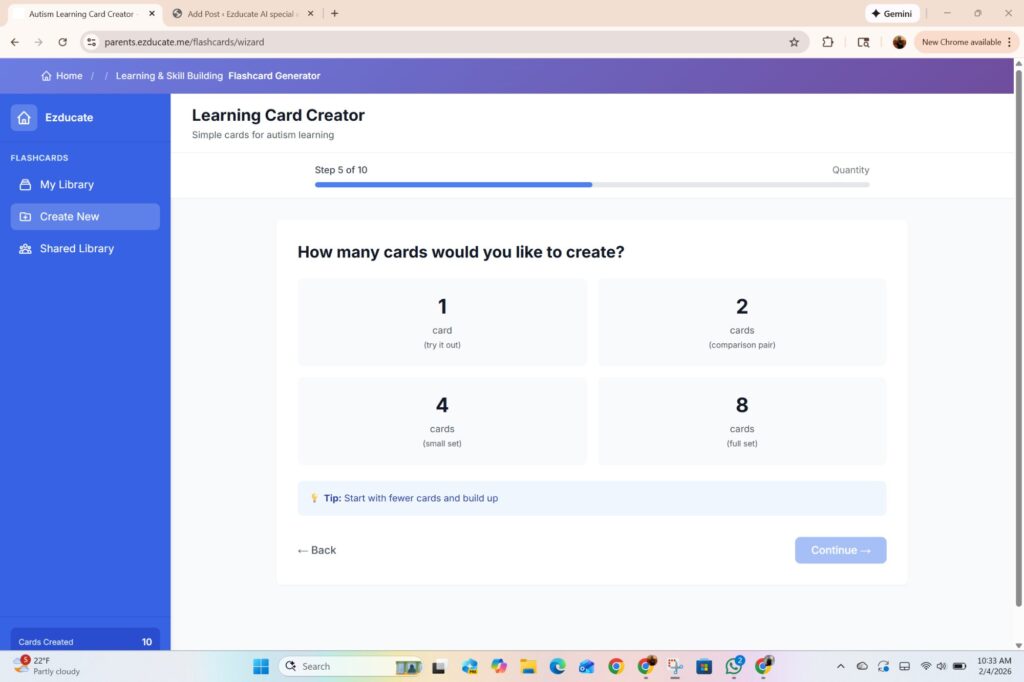
- 1 card (try it out)
- 2 cards (comparison pair)
- 4 cards (small set)
- 8 cards (full set)

I started with 1 to test it out. You can always make more.
Step 5: Image Search
This is where it gets smart.
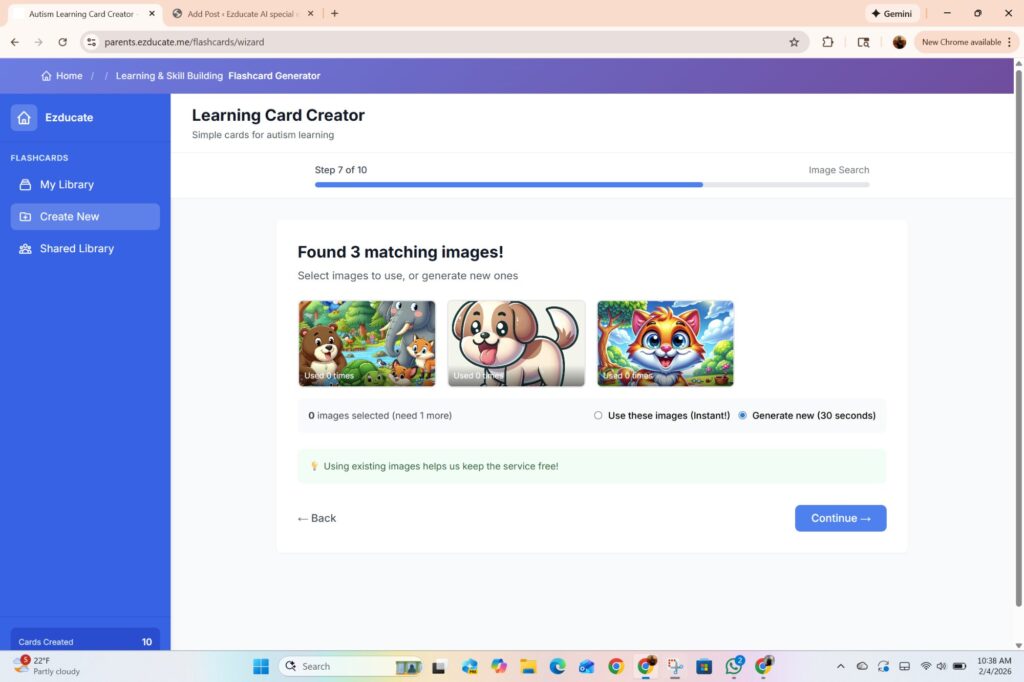
The tool searches for existing images that match your topic. It found 3 matching images — and gives you two choices:
- Use these images (Instant!) — pick from what’s already there
- Generate new (30 seconds) — AI creates a fresh image
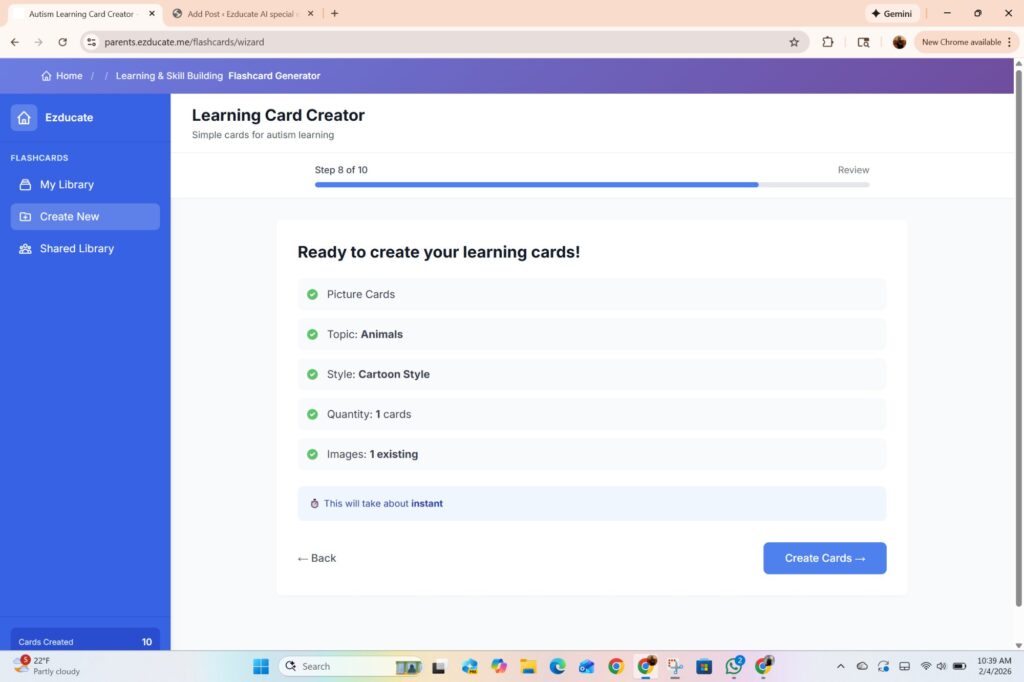
I selected an existing image. One click, instant card. No waiting.
The tip at the bottom: “Using existing images helps keep the service free!” — so reusing images keeps costs down for everyone.
Step 6: Review
Remember “Take a Shower” from the visual schedule in Part 2? Our 6-year-old had it as his second activity of the day.
So I typed: dragon taking a shower. Because if he has to take a shower, the dragon does too.

♦ Picture Cards
♦ Topic: dragon taking a shower
♦ Style: Real Photos
♦ Quantity: 1 card
♦ Images: 1 existing
♦ Time: Instant
♦ Hit Create Cards.
Done!
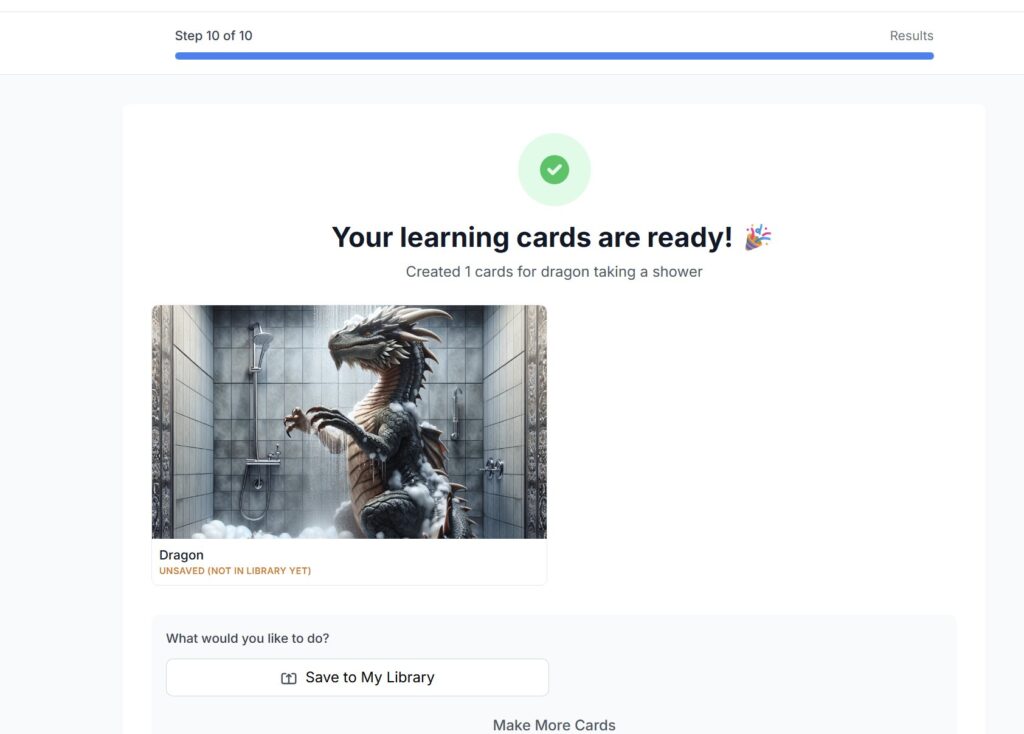
“Your learning cards are ready!” 🎉
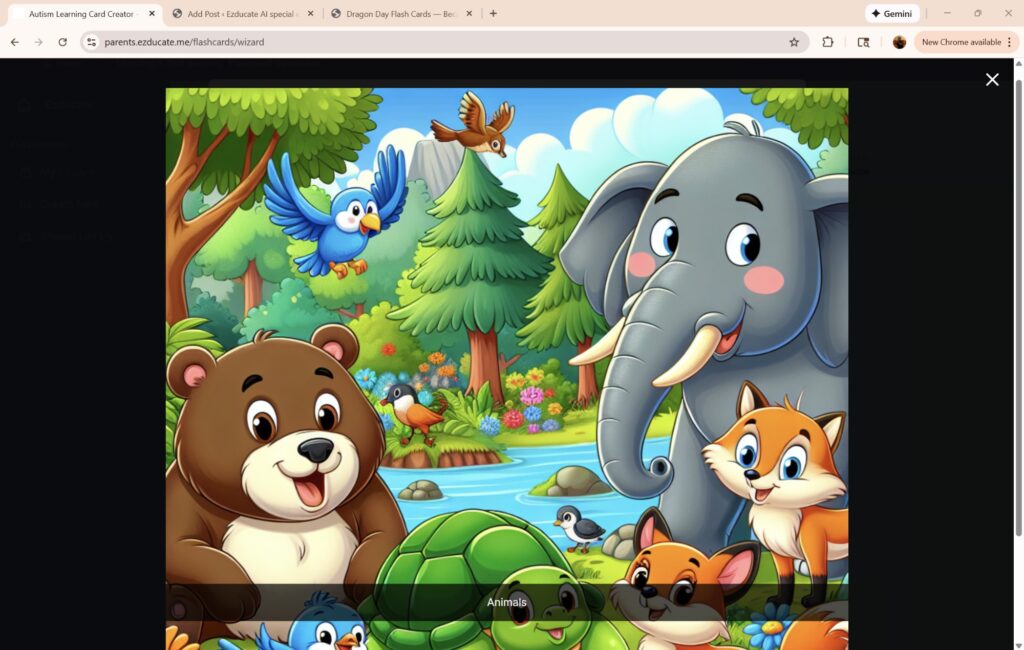
That’s a realistic dragon standing in a shower with soap suds and steam. Created in seconds.
Now imagine handing this to a 6-year-old who doesn’t want to take a shower. “Look — even the dragon has to take a shower.” Game changed.
That’s the whole idea. Take something from the schedule, make it fun, make it visual, make it theirs.
My Library
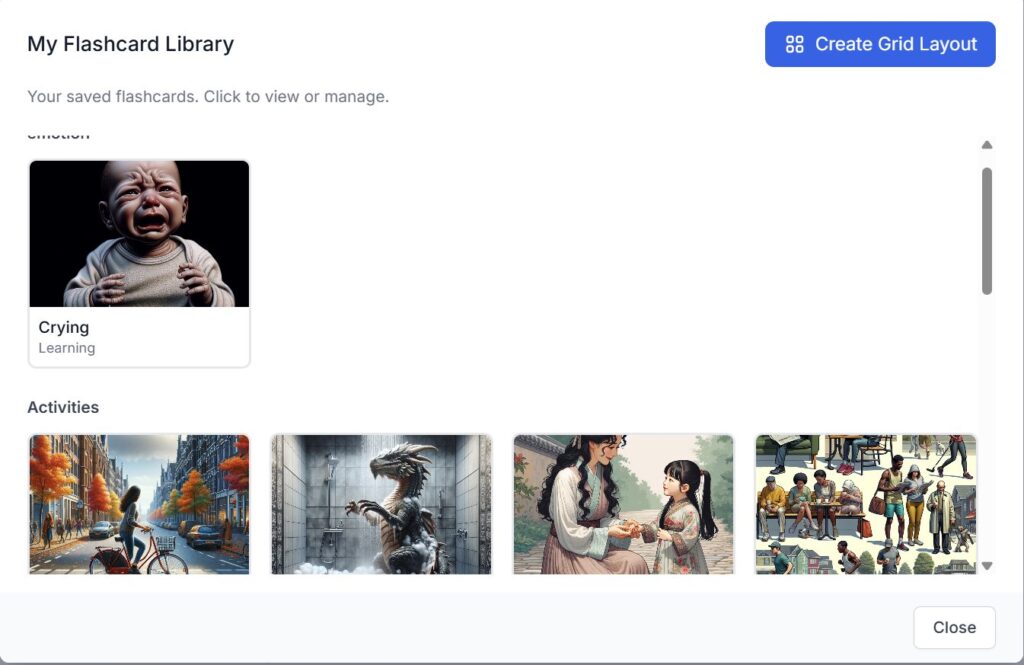
All your saved cards organized by category — Emotions, Activities, and more. And look at that button in the top right: Create Grid Layout.
That’s where the magic happens. Grid layouts turn your cards into printable games — matching, comparison, odd one out.
That’s coming tomorrow.
What’s Coming
Part 4.2: Grid Layouts, Comparison Games, and Odd One Out — the physical games that get kids off the screen and moving while they learn.
Dragons, flash cards, and a snow day. This is homeschool life.
EZducate — AI-powered, parent-controlled.


Leave a Comment