Finding books that match your child’s reading level AND their interests? Nearly impossible. That’s why Reading Practice became my daughter’s favorite tool. It creates personalized stories about things she actually cares about.
Here’s how it works.
What Is Reading Practice?
Reading Practice uses AI to generate stories tailored to your child’s interests and reading level. But it’s not just reading — it includes vocabulary building, comprehension questions, AI-generated illustrations, and even writing practice. All in one session.
Step 1: Choose a Topic
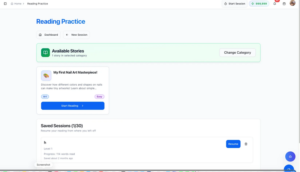
Your child picks from 12 categories: Adventure, Science, Nature, Fantasy, Mystery, Space, Animals, History, Sports, Art & Music, Technology, or Ocean. My daughter went straight for Art & Music.

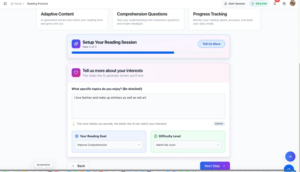
Step 2: Tell the AI What You Love: Interests + Goal + Difficulty
This is where the magic starts. Your child types what they’re interested in — the more detail, the better. My daughter wrote “I love fashion and make up artistry as well as nail art.”
Then set the Reading Goal (Practice Reading, Learn New Things, Just for Fun, or Improve Comprehension) and Difficulty Level (Make it Easier, Match My Level, or Challenge Me).
Step 3: Customize the Session : Customize session
Choose how much time you have (10, 15, 20, or 30 minutes), how many stories (1-5), and how many questions per story (3, 5, 8, or 10). You’ll see a summary before generating.
Step 4: Read Your Personalized Story : Generated story
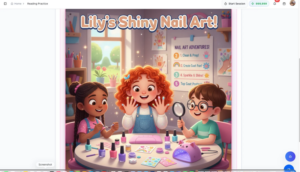
The AI creates a story just for your child. My daughter got “Lily’s Shiny Nail Art!” — a 90-word Level 1 story about a girl painting her nails with sparkly colors and tiny jewels. It matched her interests perfectly.
Each story has five tabs: Story, Summary, Vocabulary, Discussion, and Image.
Built-In Vocabulary Learning
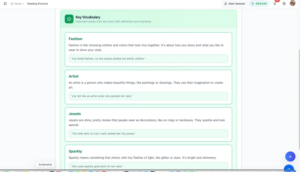
The Vocabulary tab pulls key words from the story and explains them with definitions and example sentences. Words like “fashion,” “artist,” “jewels,” and “sparkly” — all in context.
AI-Generated Illustrations : AI illustration
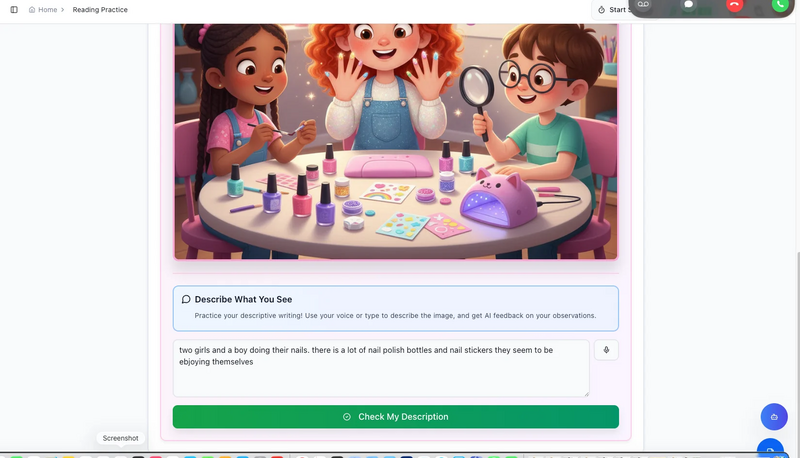
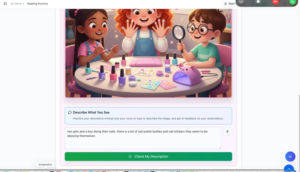
Click the Image tab and the AI creates a colorful illustration based on the story. But here’s the cool part — your child then describes what they see in the picture, and the AI gives feedback on their writing.
My daughter wrote: “Two girls and a boy doing their nails. There is a lot of nail polish bottles and nail stickers. They seem to be enjoying themselves.”
Describe feedback : She scored 85/100 with feedback on what she noticed and tips for next time.
Comprehension Check
After reading, your child answers comprehension questions based on the story. They can reference the story anytime if they need help.
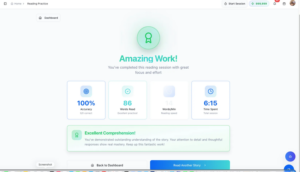
Step 5: Celebrate the Results : Results screen
When the session ends, your child sees their stats: accuracy, words read, reading speed, and time spent. That green “Amazing Work!” screen? She lights up every time.
Why It Works
Reading Practice removes the two biggest barriers: finding the right level and finding something interesting. When my daughter reads about nail art instead of random topics, she’s engaged. She wants to keep going.
And the vocabulary, comprehension, and writing practice? Built right in — no extra worksheets needed.
This is what reading practice should feel like — not a fight, but a moment your child actually looks forward to. And when they start asking for “just one more story”? That’s when you know something has changed.
Ready to try it? Your child’s personalized reading session is waiting.